

Overview

Skills are server-level instructions sent to the AI client automatically on every MCP connection. They appear in the instructions field of the MCP initialize response and most AI clients (Claude Desktop, Claude Code, Cursor, ChatGPT, VS Code) pass them verbatim into the LLM system prompt. Skills let you steer the model’s behaviour — which tools to prefer, in what order to call them, what assumptions to avoid — without the user needing to type anything.

Where to Configure Skills

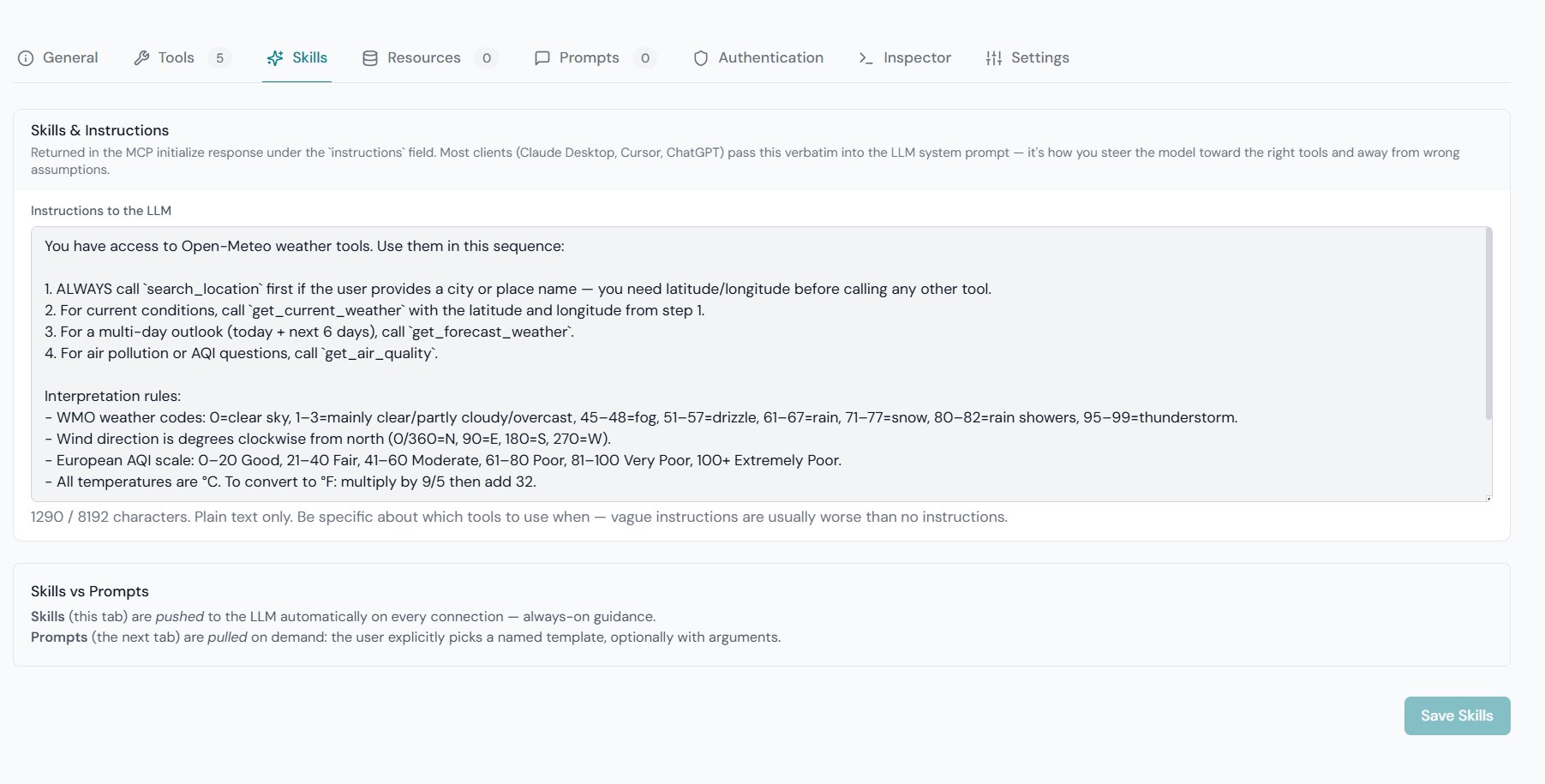
Open GetMCP → Servers → {Your Server} → Skills tab. Write your instructions in the text area and click Save Skills. The instructions take effect immediately on the next MCP initialize call — no restart required. The field accepts plain text only, up to 8,192 characters. Server — Skills tab with instructions text area and Save Skills button
Skills vs Prompts

GetMCP has two related but distinct features for shaping LLM behaviour:
SkillsPrompts
DeliveryPushed automatically on every initializePulled on demand by the user
When appliedAlways — every sessionWhen the user selects a named template
Configured inServer → Skills tabServer → Prompts tab
MCP fieldinitialize.instructionsprompts/get response
User action requiredNoneUser must invoke the prompt by name
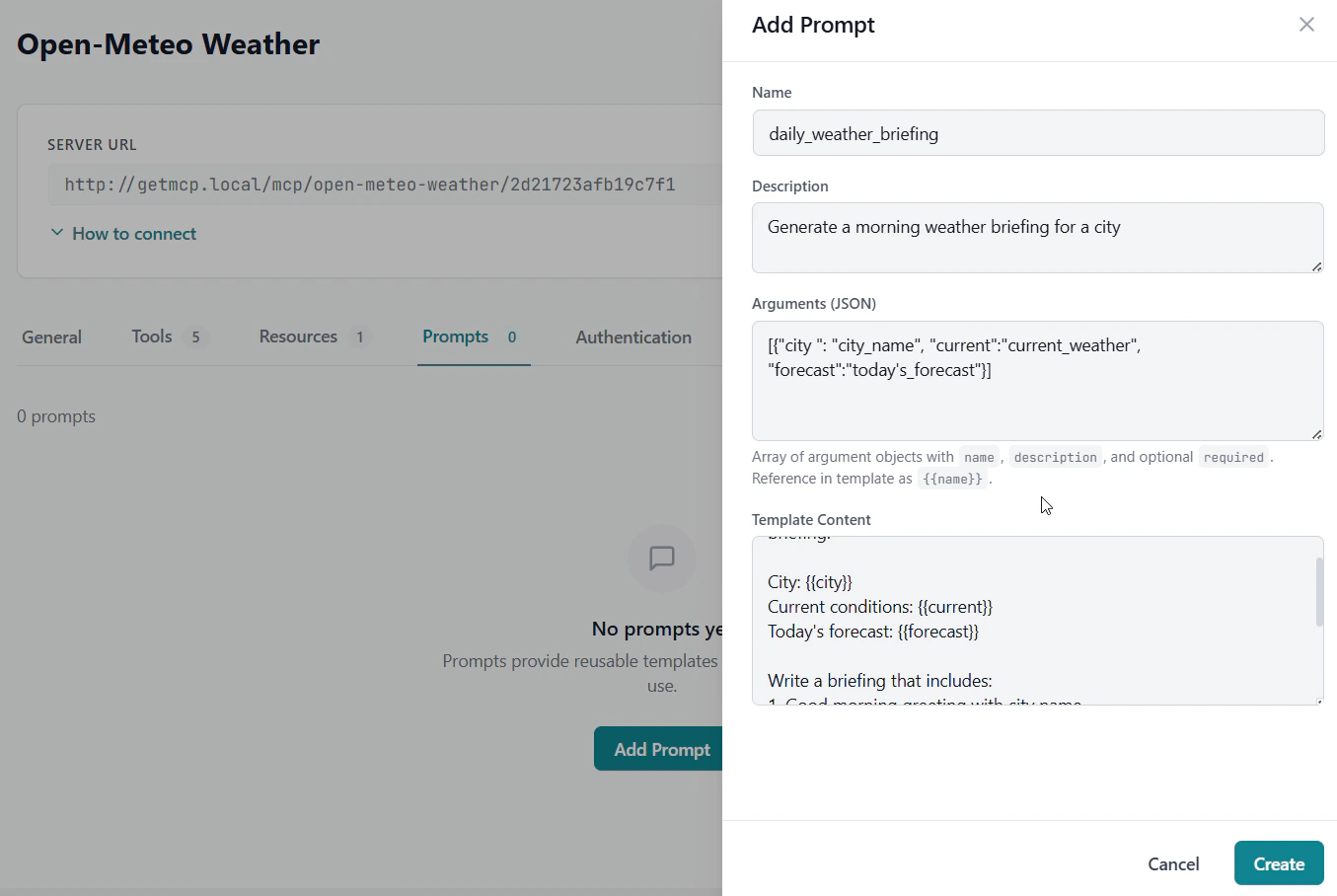
Use Skills for permanent, always-on guidance. Use Prompts for optional named templates the user can pick from a list.
What to Write

Good Skills instructions are specific and action-oriented. Vague instructions (“be helpful”) are usually worse than no instructions at all.

Effective patterns

Enforce a call order:
When the user asks about an order:
1. Always call lookup_order first to fetch the current state.
2. Never suggest a refund without calling verify_payment_status first.
3. Use search_products for inventory questions — do not guess stock levels.
Steer away from wrong tools:
This server is connected to our internal CRM only.
Do not use web_search or any external data source for customer information.
Always use get_customer and list_interactions for any question about a contact.
Set data-handling expectations:
All monetary values are in USD cents (integer). Divide by 100 before displaying.
Dates are ISO 8601 UTC. Always convert to the user's local timezone before showing.
Reduce unnecessary calls:
list_products is expensive. Call it once per session and cache the result.
Only call refresh_inventory if the user explicitly asks for updated stock data.

What to avoid

Anti-patternWhy
Repeating the tool’s descriptionAlready in inputSchema.description — duplication adds tokens, not value
Generic politeness instructionsMCP Skills compete with the AI client’s own system prompt; generic tone guidance is usually overridden
Instructions that contradict the tool’s schemaThe tool schema is authoritative; conflicting instructions confuse the model
Very long instructions (> 2,000 chars)Longer isn’t always better — token budget is shared with the conversation

How the AI Receives Skills

GetMCP returns the Skills text in the MCP initialize response:
{
  "jsonrpc": "2.0",
  "id": 1,
  "result": {
    "protocolVersion": "2025-11-25",
    "serverInfo": { "name": "My Server", "version": "1.0.0" },
    "capabilities": { "tools": {} },
    "instructions": "When the user asks about an order:\n1. Always call lookup_order first..."
  }
}
Each AI client handles this field differently:
ClientBehaviour
Claude Desktop / Claude CodeInjects into the system prompt
CursorInjects into the system prompt
VS Code (Copilot)Injects into the system prompt
ChatGPTInjects into the model instructions
Custom clientsDepends on implementation
If a client ignores the instructions field, Skills have no effect. Check the client’s documentation if you notice instructions not being followed.

Skills and Multiple Servers

Each server has its own independent Skills. When an AI client connects to multiple servers simultaneously, each server’s instructions are injected separately. Keep instructions scoped to the tools on that server to avoid confusion.

Character Limit

The Skills field accepts up to 8,192 characters (~1,500–2,000 tokens). This is intentionally constrained — overly long instructions consume token budget that should be available for the actual conversation. If you find yourself hitting the limit, consider:
  1. Moving static reference data (product lists, IDs) into a Resource that the AI can fetch on demand.
  2. Using a Prompt for optional context the user can explicitly load.
  3. Trimming instructions to the highest-value, most-specific guidance.