

Overview
The Session Replay Viewer is a detail drawer on the Call Logs page that shows the full HTTP conversation for any tool call: the exact outbound request GetMCP sent to the upstream API and the exact raw response it received back. This gives you the same visibility as a network proxy — directly inside the WordPress admin panel — without configuring any external tooling.Enabling Session Replay
The Request (MCP arguments) and Response (MCP content blocks) stages are always captured. To also capture the raw Outbound HTTP request and Upstream HTTP response stages, enable Log Response Data in GetMCP → Settings → General.
replay_data JSON blob alongside the standard log entry. This blob contains the full outbound request and the raw upstream response.
Accessing the Replay Drawer
- Go to GetMCP → Logs.
- Click any row in the log table to open the detail panel on the right.
- The detail panel shows four collapsible stages covering the full data flow.
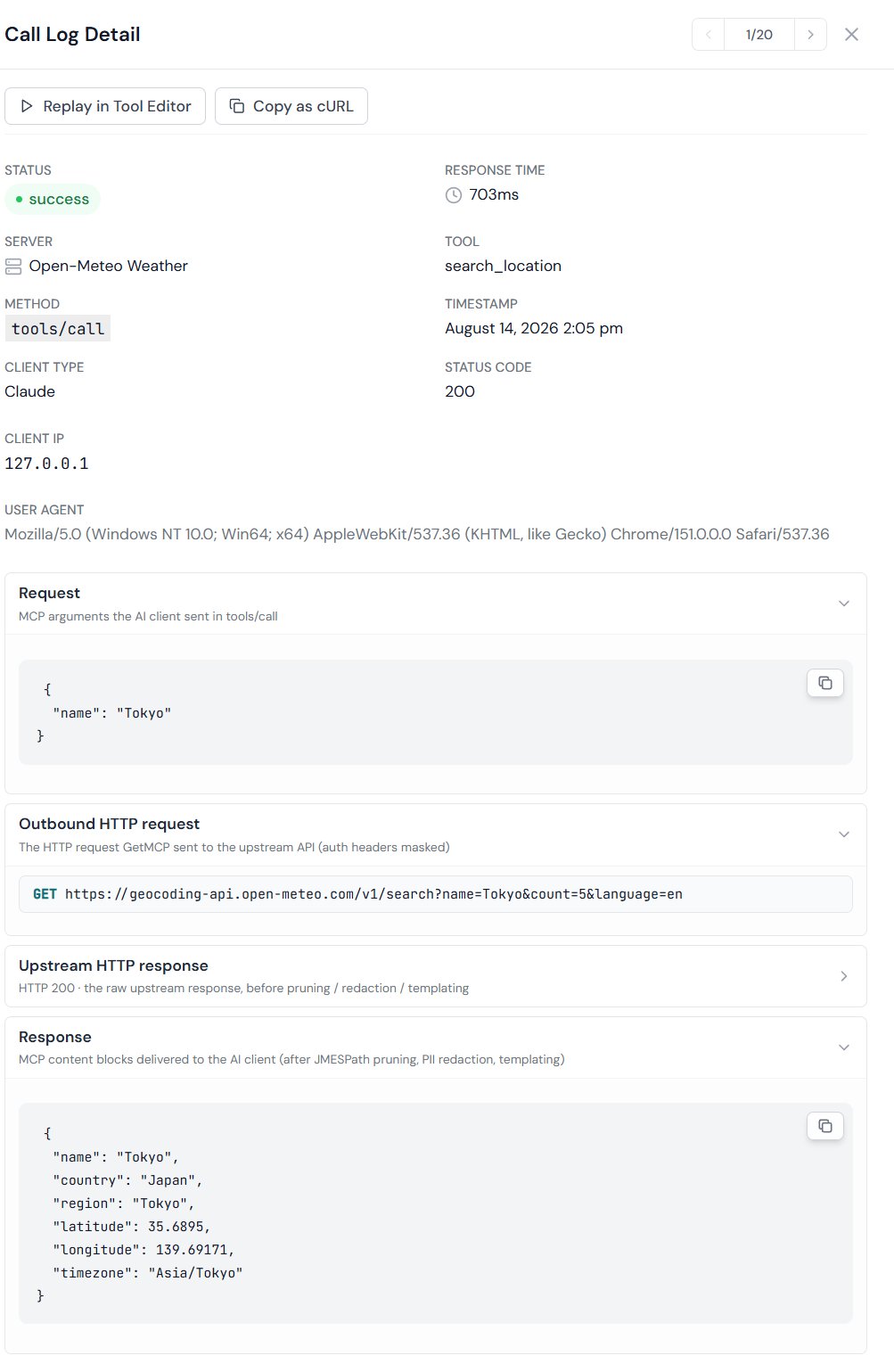
The Four Replay Stages
Each stage is a collapsible accordion item. The two MCP-level stages (Request and Response) open by default — they are always available. The two HTTP-level stages (Outbound HTTP request and Upstream HTTP response) are collapsed by default and only render when Log Response Data is enabled (see Enabling Session Replay above).Request
The MCPtools/call arguments the AI client sent. Always available — no settings required.
Outbound HTTP request
The exact HTTP request GetMCP made to the upstream API. Only present when verbose logging was on at the time of the call.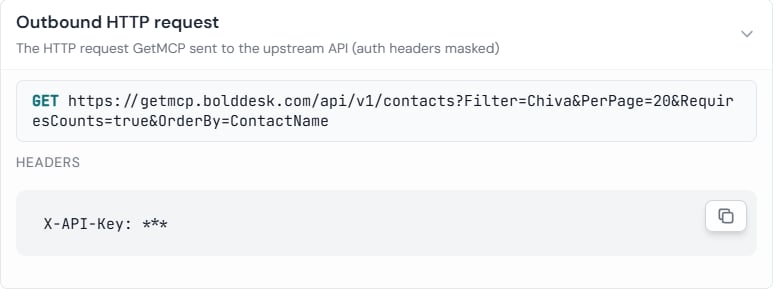
Auth headers are masked in replay data before storage. The original credentials are never written to the database.
Upstream HTTP response
The raw HTTP response from the external API. Only present when verbose logging was on at the time of the call.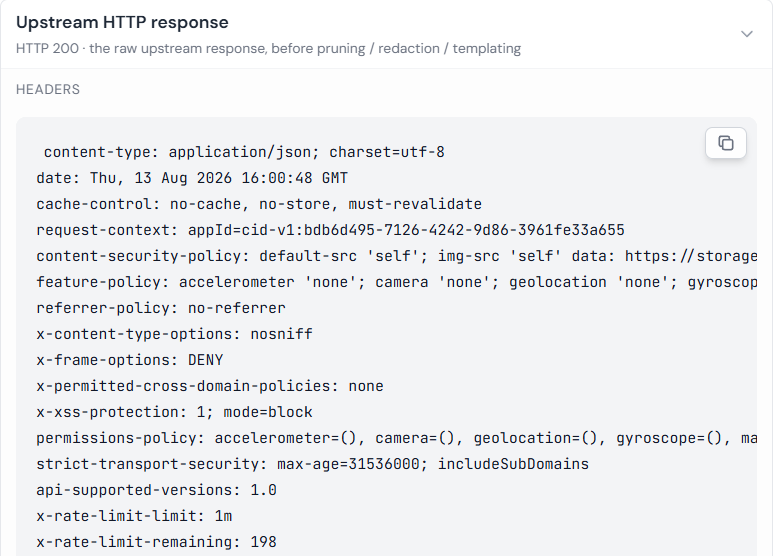
Response
The final MCP content blocks delivered to the AI client — the same payload the AI used as the tool result. Always available.Replaying a Call in the Tool Editor
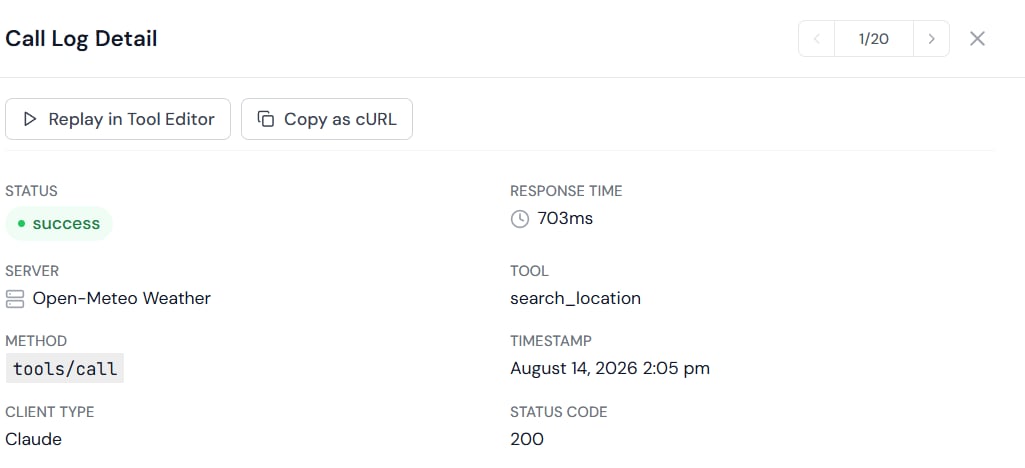
- The same tool that was called
- The same arguments that were sent
- Debugging why a tool returned unexpected output
- Refining a JMESPath selector against real production data
- Reproducing a reported error with the exact original inputs
Storage and Retention
Replay data is stored in thereplay_data column of the wp_getmcp_call_logs table as a LONGTEXT JSON blob. It follows the same log retention setting configured at GetMCP → Settings → General → Log Retention Days.
Replay data is not included in the Immutable Audit Log signature — so enabling or disabling the replay feature does not invalidate existing log signatures.
When Replay Data is Not Available
Replay data may be absent for a log entry when:
In these cases the detail panel shows the standard log metadata (status, response time, arguments) but the four-stage replay section is omitted.