

Overview
When a tool calls an external API, the raw response is often large — paginated lists with dozens of fields, nested objects, metadata the AI never needs. GetMCP’s response pruning lets you extract only the relevant data before the response is sent to the AI client. Two query engines are available:
JMESPath is the recommended engine for any response that involves filtering or reshaping data — it can reduce a 50 KB API response to a few hundred bytes before the AI ever sees it.
Why This Matters: Token Costs
AI models bill by token. A token is roughly 4 characters of text. Every byte in an API response that reaches the AI is a byte you’re paying for — and a byte consuming limited context-window space. Example: a WooCommerce orders list
At 500 tool calls per day, that’s ~$300/day saved from one JMESPath expression.
Beyond cost, smaller payloads:
- Fit more tool results in a single AI context window
- Reduce hallucination risk (the AI focuses on fewer fields)
- Make session replay and logs far more readable
Where to Configure It
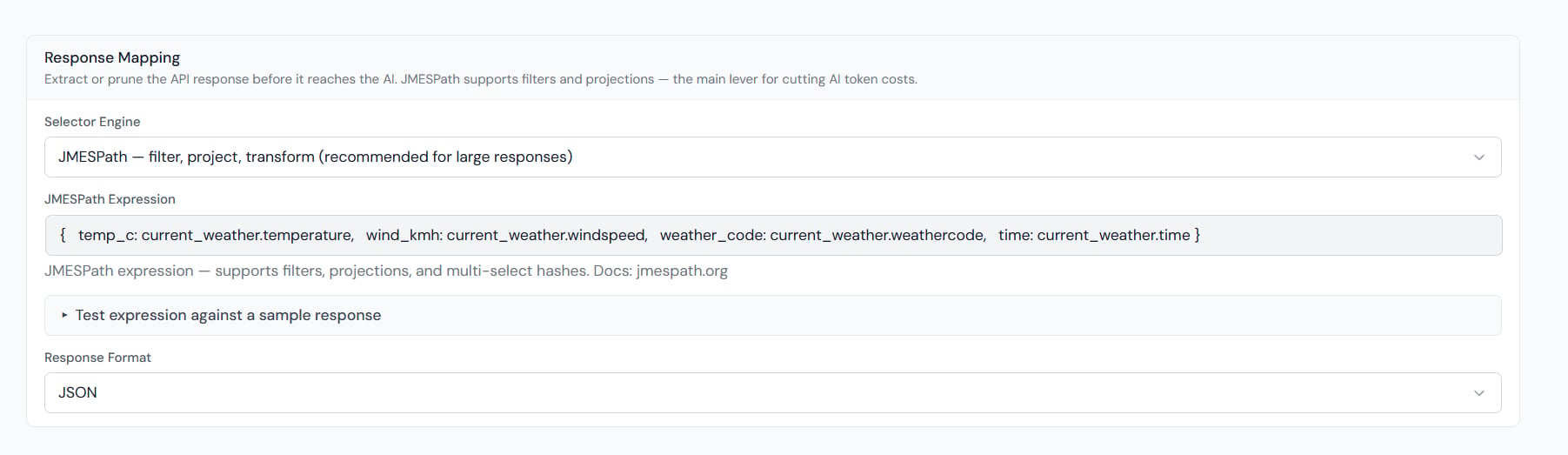
Open GetMCP → Servers → {Your Server} → Tools → {Tool} → Edit. In the Response Mapping section:- Set Selector Type to
jmespath. - Enter your JMESPath expression in the Selector field.
- Click Test to see the pruned output live.
JMESPath Syntax Quick Reference
JMESPath expressions operate on the decoded JSON body of the API response.Extract a field
items array from { "data": { "items": [...] } }.
Project specific fields from an array
{id, name, price} objects — everything else is dropped.
Filter an array
status equals "pending".
Filter and project
Nested access
Sort and slice
Flatten a nested list
[{tags: [...]}, {tags: [...]}] into a single flat tag list.
Practical Examples
WooCommerce: orders list
Raw response from/wp-json/wc/v3/orders is ~8 KB per order. Pruning extracts only what the AI needs:
Mailchimp: campaign stats
OpenWeather API: current conditions only
GitHub: PR list — only open ones
Live Testing
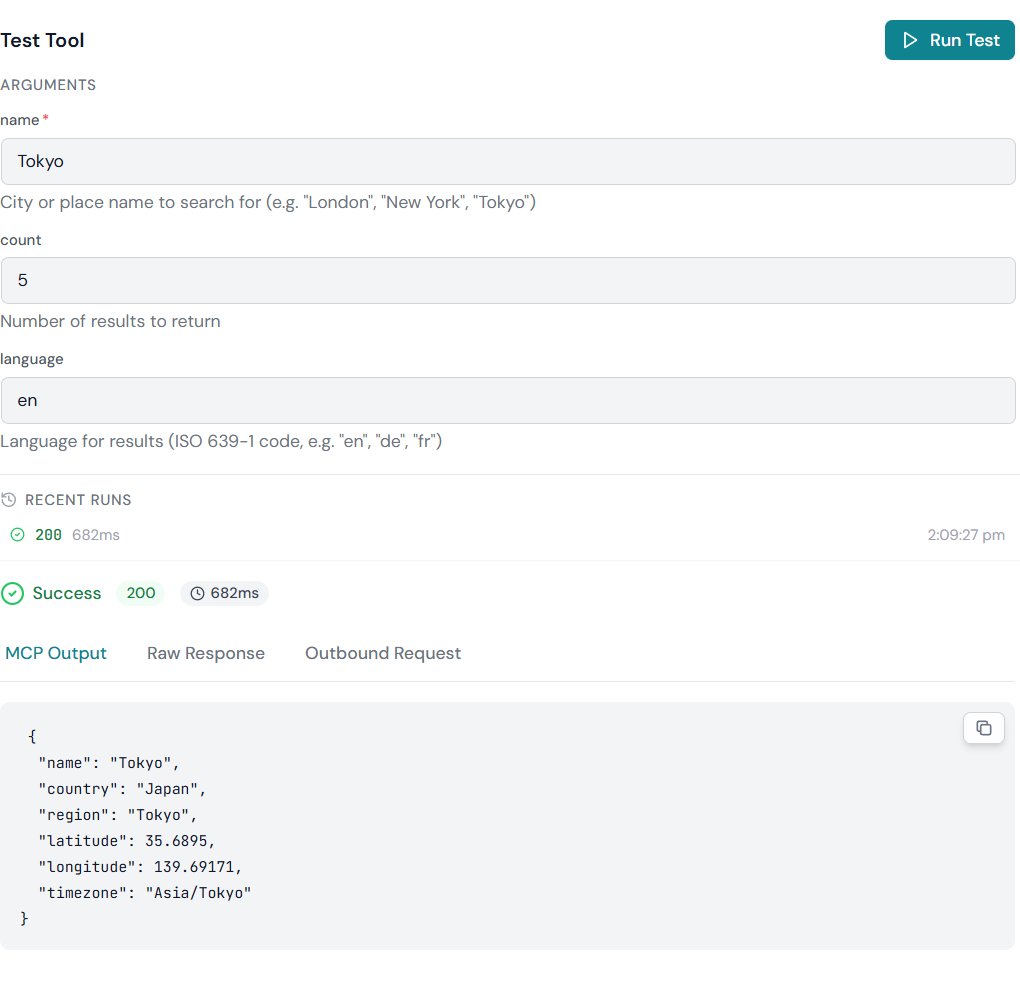
Use the Test button in the Tool Editor to call the real API. The result panel has three tabs:- MCP Output — the pruned payload, exactly what the AI client receives
- Raw Response — the full upstream body, for checking your expression against real data
- Outbound Request — the URL, headers and body GetMCP sent upstream
Token Savings Dashboard
Every live tool call records the upstream byte count (raw) and the delivered byte count (after pruning). The Interceptor Savings widget on the Analytics page shows the aggregate savings across all calls, so you can see the real-world impact of your JMESPath expressions.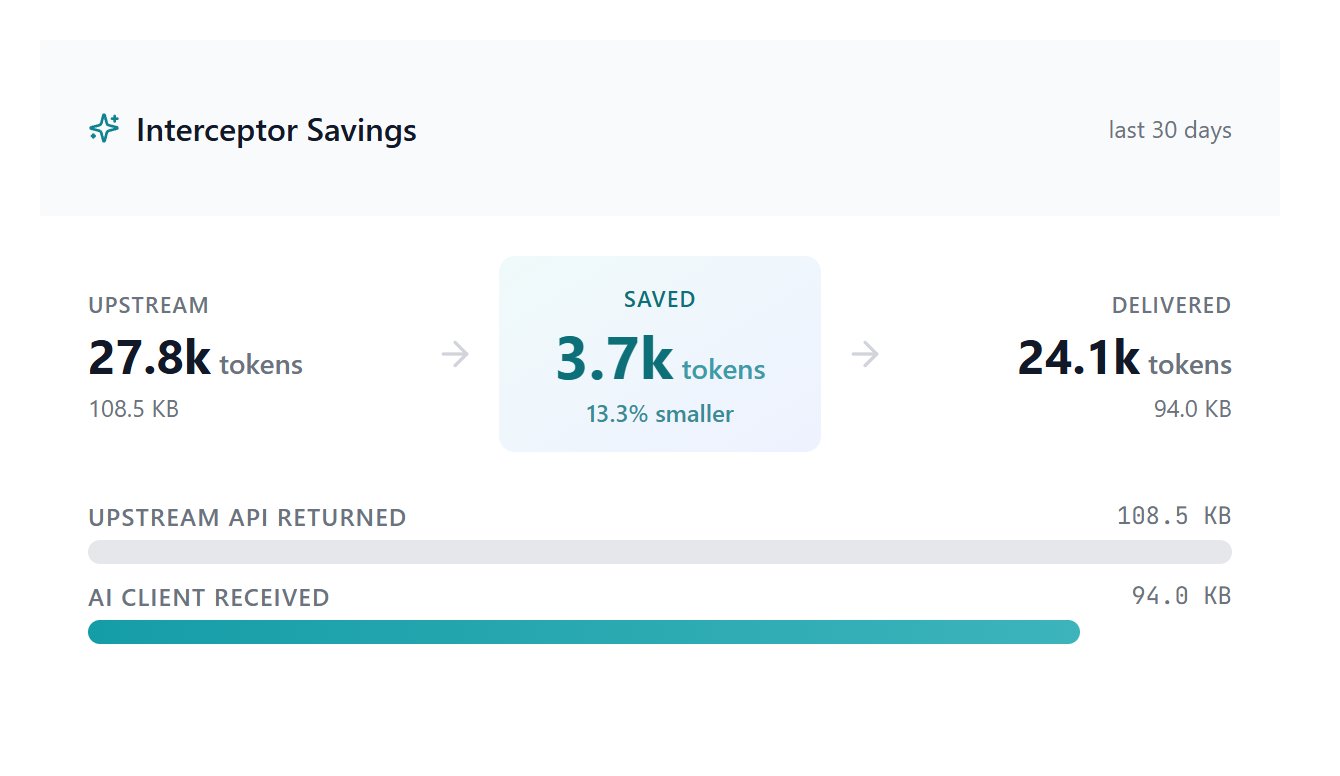
How Pruning Fits in the Processing Pipeline
Every tool call passes through this sequence before the AI sees the result:- PII redaction is faster. The redactor only regex-scans the fields that survived pruning. If you’ve already stripped 49 of 50 fields with JMESPath, the PII engine has 98% less text to process.
- PII placeholders land correctly. Template substitution sees
[REDACTED:EMAIL]as a label rather than a raw email address, so the AI still understands something was present.
Using Pruning and PII Redaction Together
This is the recommended combination for any tool that touches customer or personal data:- JMESPath removes fields the AI doesn’t need (cost savings + focus)
- PII Redaction scrubs sensitive values from the fields the AI does see (compliance + safety)
[REDACTED:EMAIL] before the AI sees them. The AI knows a contact has an email field, but never sees the address.
Configure PII redaction under Server Settings → PII Redaction. See the PII Redaction guide for details.
Fallback Behaviour
JSONPath vs JMESPath
Use JSONPath when migrating existing selectors written for it. Use JMESPath for any new tool that needs filtering or projection.