

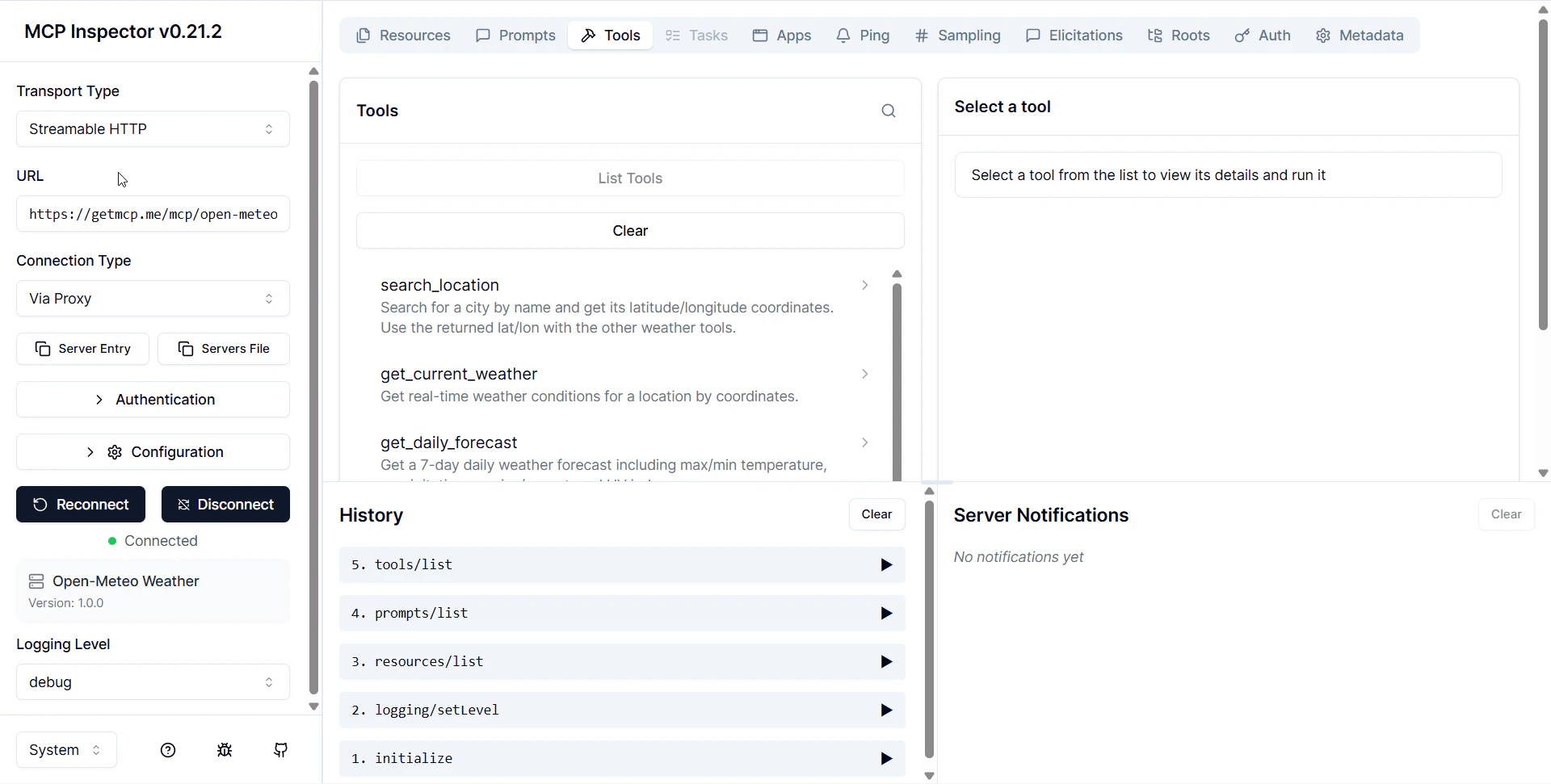
Why Use It
- Verify tools are configured correctly — see exactly what
tools/listreturns to AI clients - Test tool calls manually — fill in arguments and see the raw response your API returns
- Debug authentication — confirm your server URL, inbound auth, and Custom Headers all work
- Inspect protocol messages — see the exact JSON-RPC requests and responses
- Catch problems before users do — faster than connecting Claude Desktop and asking it questions
Prerequisites
- Node.js 18+ installed (nodejs.org)
- A GetMCP server that is set to Active status
- Your server’s MCP endpoint URL (from the server detail page)
Launch Inspector
MCP Inspector runs entirely in your browser vianpx — no installation required:
http://localhost:5173.
Connect to Your GetMCP Server
1
Select transport
In the Transport dropdown, select Streamable HTTP.
2
Enter your server URL
Paste your GetMCP server URL into the URL field:Your URL is on the server detail page in GetMCP admin.
3
Add authentication headers (if required)
If your server has inbound authentication enabled, click Add Header and enter:
Leave this blank if your server uses
none auth type.4
Click Connect
Click the Connect button. Inspector runs the 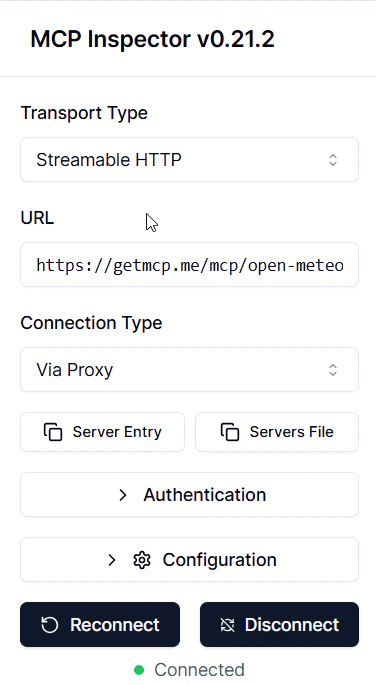
initialize handshake and negotiates the protocol version. A green status indicator confirms the connection.Browse Your Tools
Click the Tools tab to see every tooltools/list returns — exactly what Claude or Cursor sees when they connect.
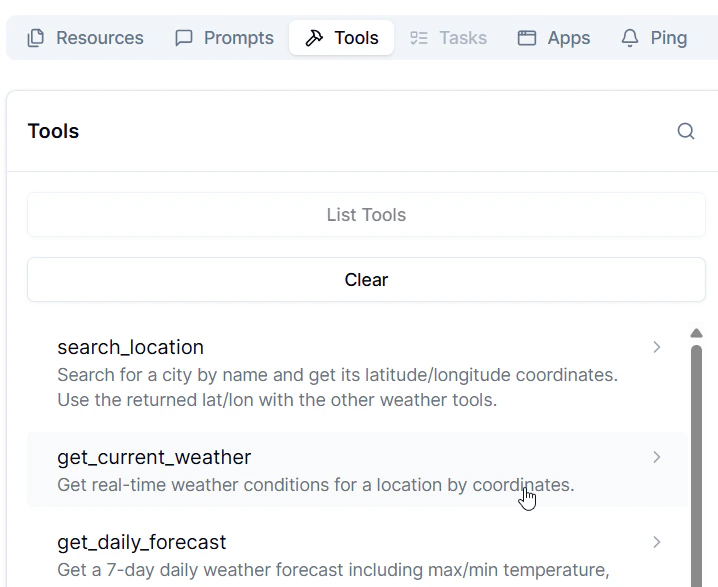
- Name — the
snake_caseidentifier - Description — what you wrote (this is what the AI reads)
- Input Schema — the JSON Schema defining accepted parameters
Call a Tool
1
Click a tool name
Select a tool from the list. The input form renders automatically from the tool’s JSON Schema.
2
Fill in the arguments
Enter values for each parameter. Required fields are marked.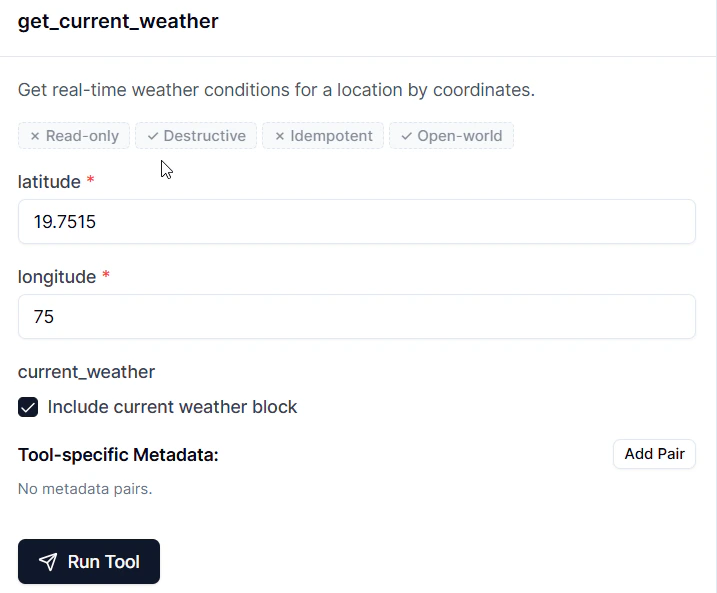
3
Click Run
Inspector sends a 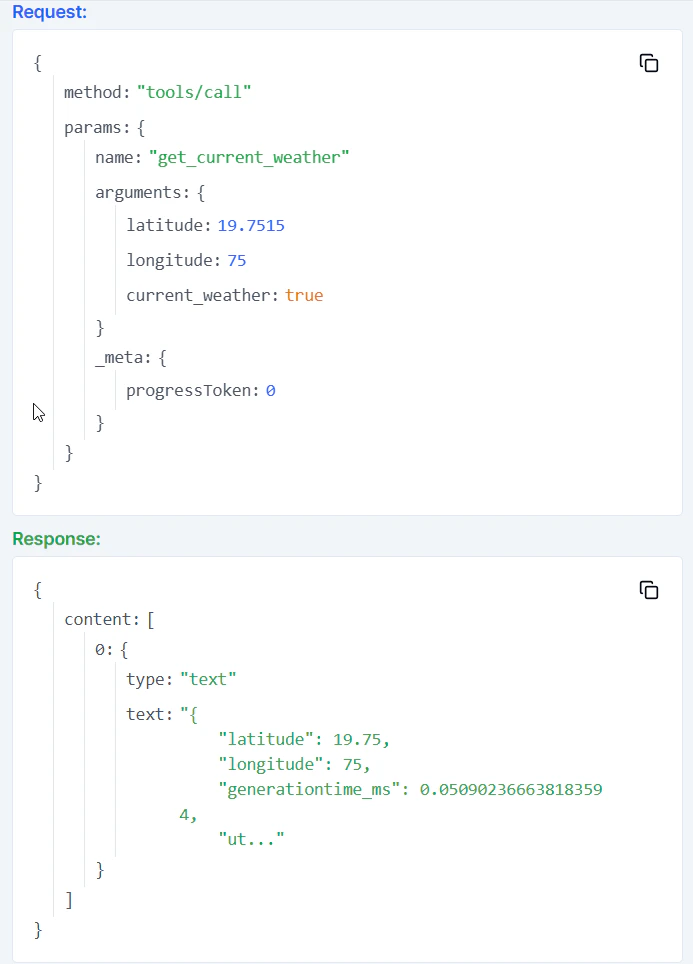
tools/call JSON-RPC request and displays the full response.result.content[0].text. You can see exactly what an AI client receives.
Browse Resources and Prompts
Resources tab — Lists all resources viaresources/list. Click any resource to call resources/read and see its content.
Prompts tab — Lists all prompt templates via prompts/list. Click a prompt, fill in argument values, and call prompts/get to see the fully rendered prompt text.
Inspect Raw Messages
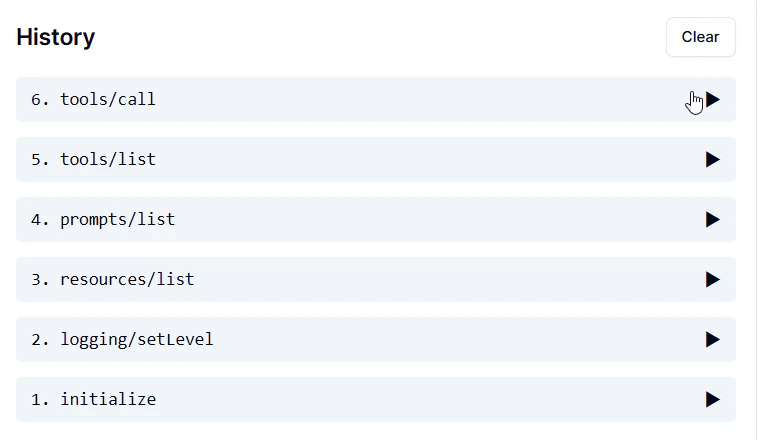
Click the History or Messages panel to see every JSON-RPC request and response as raw JSON. This is the exact protocol traffic your GetMCP server exchanges with AI clients. Useful for:- Confirming the
initializecapability negotiation is correct - Checking that tool input schemas are valid JSON Schema
- Verifying error response formats when something goes wrong
Troubleshooting
Connection fails immediately
Connection fails immediately
- Confirm your WordPress site is reachable over HTTPS
- Check the server status is Active in GetMCP admin
- Verify the URL — the slug must be exact
- Flush WordPress permalinks: Settings → Permalinks → Save Changes
401 or 403 on connect
401 or 403 on connect
Your server has inbound authentication enabled. Add the
Authorization header in Inspector’s header configuration before clicking Connect. The value must match exactly what you set in the server’s Authentication tab.Tools list is empty
Tools list is empty
All tools are set to Paused status. Go to GetMCP admin → Tools tab and set at least one tool to Active.
Tool call returns an error response
Tool call returns an error response
The error message is in
result.content[0].text. Common causes:- API key missing or expired — check Custom Headers in the tool’s Advanced Settings
- API endpoint URL typo — verify the endpoint in the tool editor
- Missing required parameter — confirm your test arguments match the input schema
Inspector won't start (npx error)
Inspector won't start (npx error)
Ensure Node.js 18 or higher is installed:
node --version. If outdated, download from nodejs.org.MCP Inspector is maintained by Anthropic as part of the official MCP project. Source code and docs: github.com/modelcontextprotocol/inspector