> ## Documentation Index
> Fetch the complete documentation index at: https://docs.getmcp.com/llms.txt
> Use this file to discover all available pages before exploring further.
# Rate Limiting & Security
> Protect your MCP servers and downstream APIs with rate limiting and security controls.
## Rate Limiting
GetMCP enforces rate limits at multiple levels to protect your servers and underlying APIs from abuse.
 ### Server-Level Rate Limit
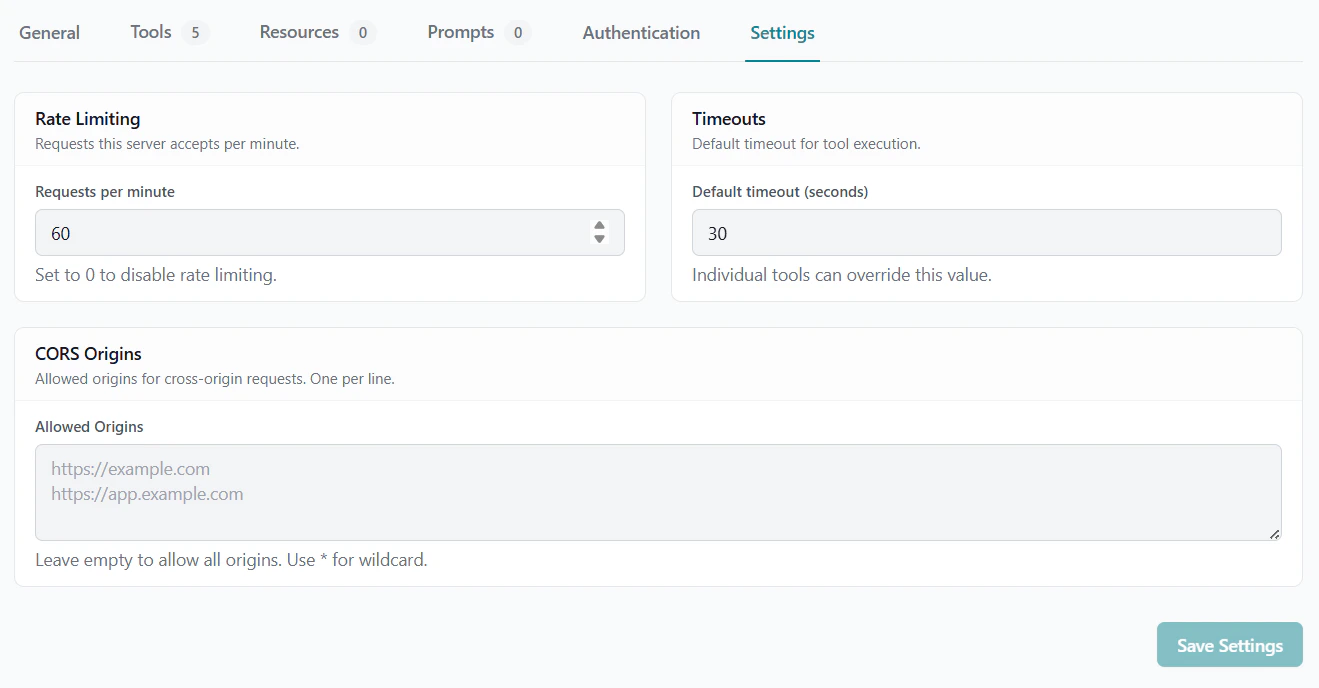
Each server has a **rate limit per minute** (default: 60 requests/min). When exceeded, the MCP endpoint returns HTTP 429.
Configure in **Server Settings > Rate Limit** or via the API:
```json theme={null}
{
"rate_limit_per_min": 100
}
```
### Tool-Level Rate Limit
Individual tools can have their own rate limits that override the server default. Set this when specific tools are more expensive or have tighter API quotas.
```json theme={null}
{
"rate_limit_per_min": 10
}
```
### Global Default
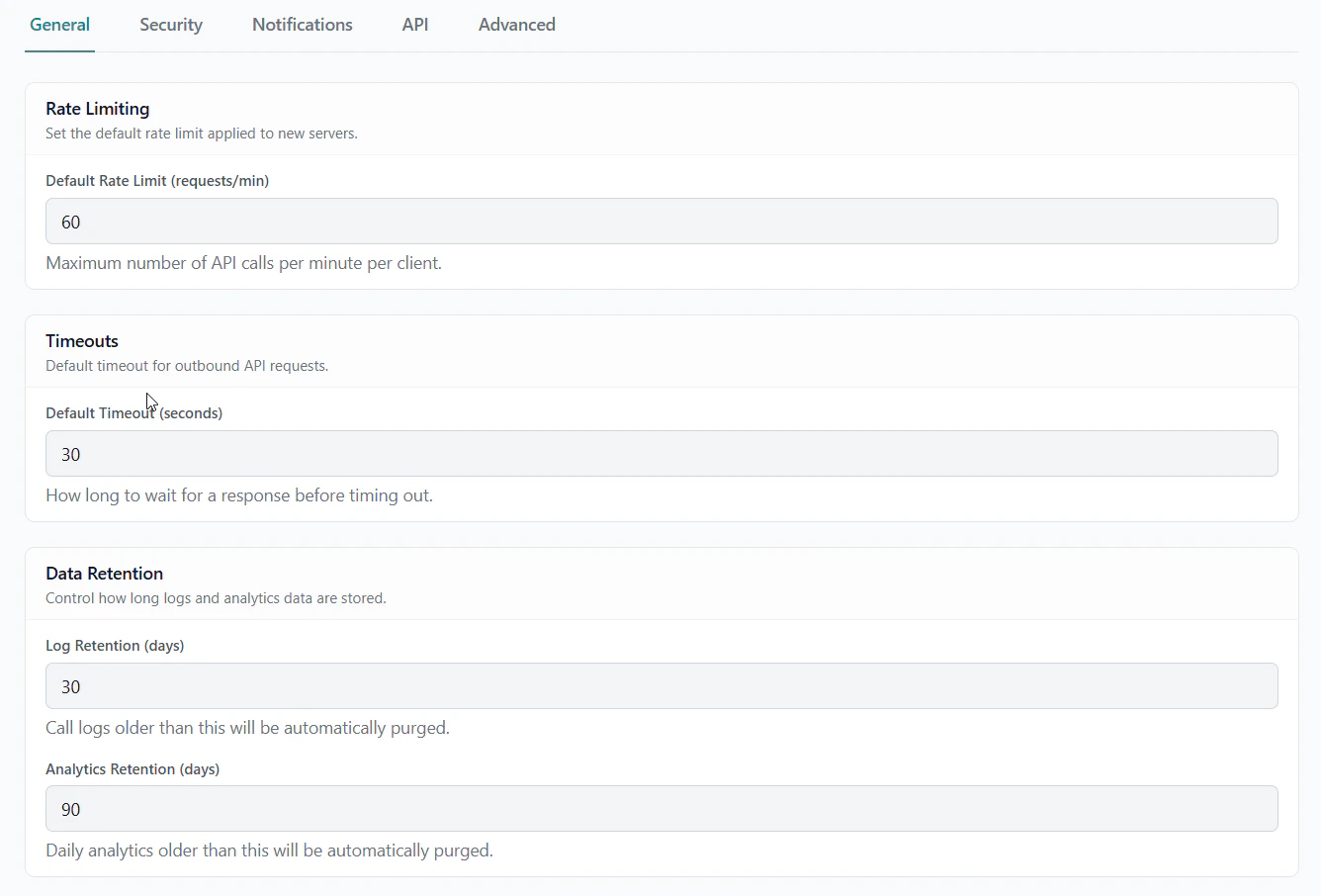
Set the default rate limit, timeout, and data retention periods for all new servers in **GetMCP → Settings → General**.
### Server-Level Rate Limit
Each server has a **rate limit per minute** (default: 60 requests/min). When exceeded, the MCP endpoint returns HTTP 429.
Configure in **Server Settings > Rate Limit** or via the API:
```json theme={null}
{
"rate_limit_per_min": 100
}
```
### Tool-Level Rate Limit
Individual tools can have their own rate limits that override the server default. Set this when specific tools are more expensive or have tighter API quotas.
```json theme={null}
{
"rate_limit_per_min": 10
}
```
### Global Default
Set the default rate limit, timeout, and data retention periods for all new servers in **GetMCP → Settings → General**.
 ## Request Timeout
Control how long a tool waits for a response from the upstream API:
```json theme={null}
{
"timeout": 30
}
```
Default is 30 seconds. Set lower values for performance-critical tools or higher values for slow external APIs.
## Retry with Exponential Backoff
Configure automatic retries for transient failures:
| Setting | Description |
| ----------------- | ------------------------------------ |
| **Retry Count** | Number of retries (0–5) |
| **Retry Backoff** | Wait time multiplier between retries |
With `retry_count: 3` and `retry_backoff: 2`:
* First retry: 1 second
* Second retry: 2 seconds
* Third retry: 4 seconds
## Response Caching
Cache tool responses to reduce upstream API calls:
```json theme={null}
{
"cache_ttl": 300
}
```
Sets the cache TTL to 300 seconds (5 minutes). The response is cached in WordPress object cache. Set to `0` to disable caching.
Useful for:
* Read-only data that doesn't change frequently
* Expensive API calls with rate limits
* Reducing latency for common queries
## CORS Configuration
Control which origins can make browser-based MCP requests to your server. Configure in **Server Settings > CORS Origins**:
```
https://app.example.com, https://dashboard.example.com
```
Leave blank to allow all origins (`*`), or provide a comma-separated list to restrict.
## Sensitive Value Redaction
GetMCP automatically redacts sensitive values from call logs. Fields matching common patterns (passwords, tokens, secrets, keys) are replaced with `[REDACTED]` before storage.
Configure log behavior in **GetMCP > Settings**:
* **Log Response Data** — Enable/disable storing response bodies (default: off)
## Security Best Practices
All production MCP servers should be served over HTTPS. API credentials and tokens transmitted over HTTP can be intercepted. Most AI clients also prefer or require HTTPS.
Protect your MCP endpoint with API key or OAuth authentication. Without it, anyone who discovers your URL can call your tools and consume your API credits.
Never use production API keys in the tool test feature. Configure server-level test credentials that point to sandbox environments.
Set rate limits based on your upstream API quotas. If your API has a 100 requests/minute limit, set your GetMCP rate limit to 90 to leave headroom.
Periodically check analytics for unusual patterns — sudden spikes, calls from unexpected IPs, or high error rates may indicate misuse.
Don't retain call logs longer than necessary. Set appropriate retention periods to minimize data exposure.
## Request Timeout
Control how long a tool waits for a response from the upstream API:
```json theme={null}
{
"timeout": 30
}
```
Default is 30 seconds. Set lower values for performance-critical tools or higher values for slow external APIs.
## Retry with Exponential Backoff
Configure automatic retries for transient failures:
| Setting | Description |
| ----------------- | ------------------------------------ |
| **Retry Count** | Number of retries (0–5) |
| **Retry Backoff** | Wait time multiplier between retries |
With `retry_count: 3` and `retry_backoff: 2`:
* First retry: 1 second
* Second retry: 2 seconds
* Third retry: 4 seconds
## Response Caching
Cache tool responses to reduce upstream API calls:
```json theme={null}
{
"cache_ttl": 300
}
```
Sets the cache TTL to 300 seconds (5 minutes). The response is cached in WordPress object cache. Set to `0` to disable caching.
Useful for:
* Read-only data that doesn't change frequently
* Expensive API calls with rate limits
* Reducing latency for common queries
## CORS Configuration
Control which origins can make browser-based MCP requests to your server. Configure in **Server Settings > CORS Origins**:
```
https://app.example.com, https://dashboard.example.com
```
Leave blank to allow all origins (`*`), or provide a comma-separated list to restrict.
## Sensitive Value Redaction
GetMCP automatically redacts sensitive values from call logs. Fields matching common patterns (passwords, tokens, secrets, keys) are replaced with `[REDACTED]` before storage.
Configure log behavior in **GetMCP > Settings**:
* **Log Response Data** — Enable/disable storing response bodies (default: off)
## Security Best Practices
All production MCP servers should be served over HTTPS. API credentials and tokens transmitted over HTTP can be intercepted. Most AI clients also prefer or require HTTPS.
Protect your MCP endpoint with API key or OAuth authentication. Without it, anyone who discovers your URL can call your tools and consume your API credits.
Never use production API keys in the tool test feature. Configure server-level test credentials that point to sandbox environments.
Set rate limits based on your upstream API quotas. If your API has a 100 requests/minute limit, set your GetMCP rate limit to 90 to leave headroom.
Periodically check analytics for unusual patterns — sudden spikes, calls from unexpected IPs, or high error rates may indicate misuse.
Don't retain call logs longer than necessary. Set appropriate retention periods to minimize data exposure.