> ## Documentation Index
> Fetch the complete documentation index at: https://docs.getmcp.com/llms.txt
> Use this file to discover all available pages before exploring further.
# OpenAPI Import
> Import all endpoints from an OpenAPI 3.x spec and generate tools automatically.
## Overview
The OpenAPI Import feature reads an OpenAPI 3.x specification and turns every operation into a GetMCP tool in one step. Instead of configuring each endpoint manually, you give GetMCP the spec and it creates the full tool list — with correct HTTP methods, URL templates, parameter schemas, and descriptions pulled directly from the spec.
This is useful when:
* Your API already has an OpenAPI spec (most modern APIs do)
* You want to expose dozens of endpoints without configuring them one by one
* You want parameter types, descriptions, and required flags imported automatically
For Swagger 2.0 specs, use [Swagger Import](/docs/guides/swagger-import). For Postman collections, use [Postman Import](/docs/guides/postman-import).
## How to Use
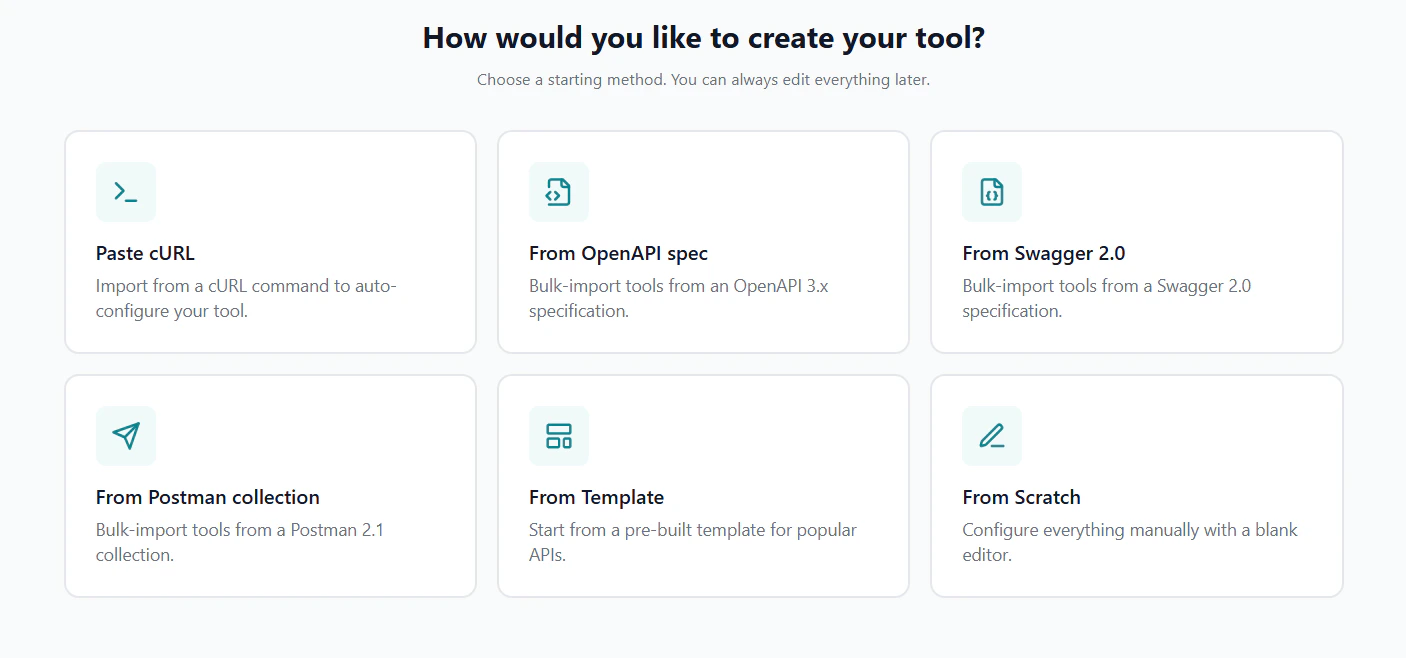 Navigate to your server's **Tools** tab and click the **Import** dropdown, then select **OpenAPI / Swagger**. The three-step import modal opens.
Choose how to provide the spec — paste text, upload a file, or fetch from a URL.
Navigate to your server's **Tools** tab and click the **Import** dropdown, then select **OpenAPI / Swagger**. The three-step import modal opens.
Choose how to provide the spec — paste text, upload a file, or fetch from a URL.
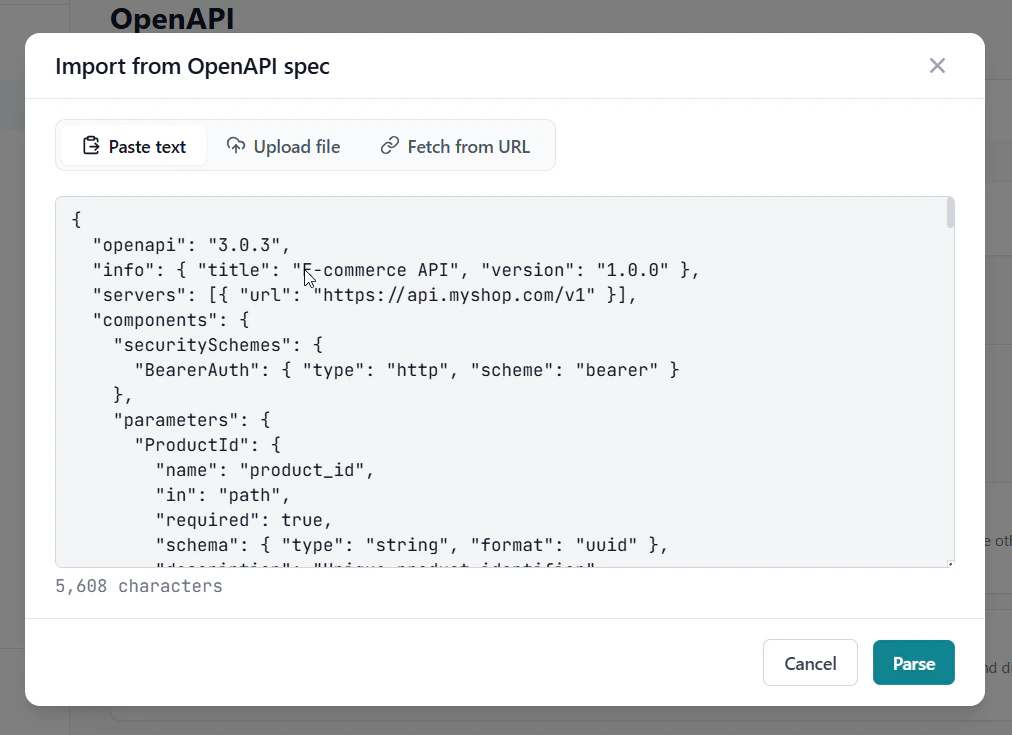 **Paste text** — copy the JSON or YAML spec content and paste it directly.
**Upload file** — drag and drop or click to select a `.json`, `.yaml`, or `.yml` file (up to 10 MB).
**Fetch from URL** — enter a public URL pointing to the spec (e.g. `https://api.example.com/openapi.json`). Private IPs are blocked; if fetch fails, paste the spec instead.
Then click **Parse**.
GetMCP parses the spec and shows a preview table listing every discovered operation with its HTTP method, path, name, and description.
**Paste text** — copy the JSON or YAML spec content and paste it directly.
**Upload file** — drag and drop or click to select a `.json`, `.yaml`, or `.yml` file (up to 10 MB).
**Fetch from URL** — enter a public URL pointing to the spec (e.g. `https://api.example.com/openapi.json`). Private IPs are blocked; if fetch fails, paste the spec instead.
Then click **Parse**.
GetMCP parses the spec and shows a preview table listing every discovered operation with its HTTP method, path, name, and description.
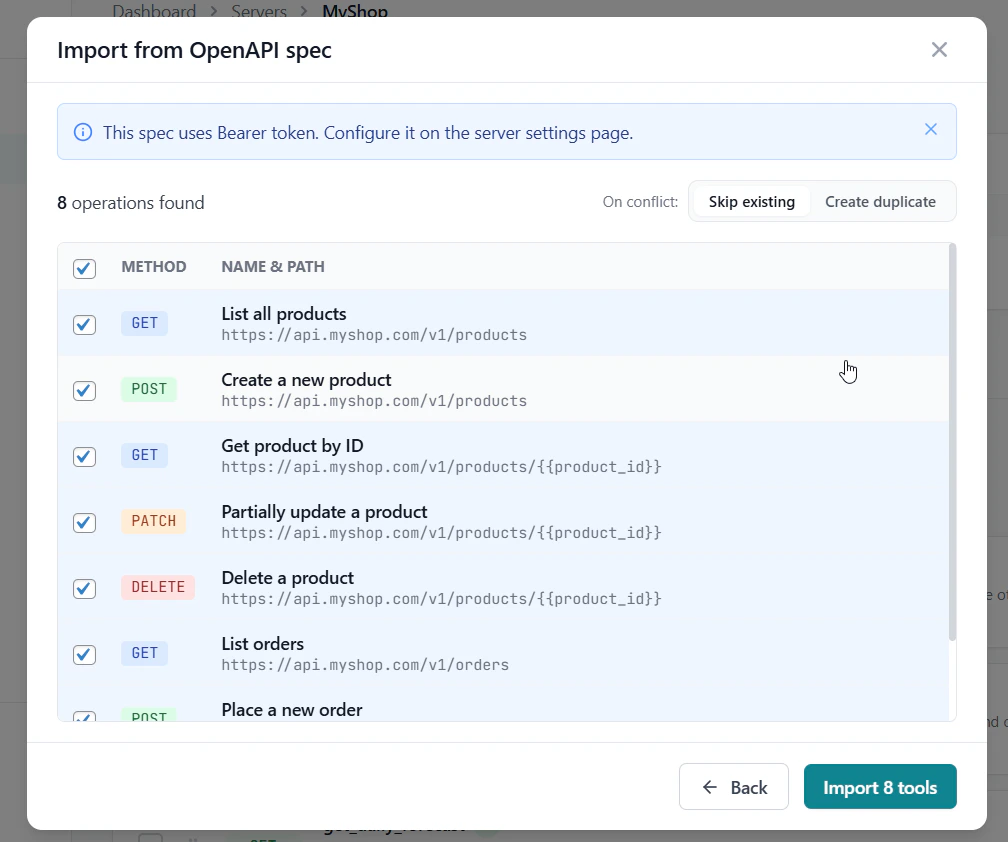 * Check or uncheck individual operations
* Use **Select all** / **Deselect all** to bulk-toggle
* Operations with warnings are flagged — hover to see what needs attention
* Choose **On conflict**: skip existing tools (default) or create duplicates
Click **Import N tools** when ready.
The result screen shows how many tools were created, skipped (already exist), or failed with the specific error.
Click **Done** to return to the tools list.
## What Gets Imported
| Spec Field | Imported As |
| ----------------------------------------------------- | ---------------------------------------------------------------- |
| Operation `operationId` / `summary` | Tool name |
| Operation `description` | Tool description |
| HTTP method (`get`, `post`, `put`, `patch`, `delete`) | HTTP Method |
| `servers[0].url` + path | Endpoint URL |
| Path parameters (`in: path`) | Input parameters mapped to Path |
| Query parameters (`in: query`) | Input parameters mapped to Query String |
| `requestBody` fields (JSON) | Input parameters mapped to Request Body |
| `required: [...]` array | Required flags on parameters |
| Parameter `description` | Parameter description |
| Parameter `type` / `schema` | Parameter type (string, integer, number, boolean, array, object) |
Auth headers detected in the spec's `securitySchemes` are noted in the preview but not stored as credentials. Configure production credentials after import in **Server Settings → Authentication**.
## Supported Spec Versions
| Version | Support |
| ------------- | --------------------------------------------------------- |
| OpenAPI 3.0.x | Full support |
| OpenAPI 3.1.x | Full support |
| Swagger 2.0 | Use [Swagger Import](/docs/guides/swagger-import) instead |
## Tips
Most API providers publish their OpenAPI spec at a predictable URL — often `/openapi.json`, `/api-docs`, or linked from the developer docs. Try the URL input first to avoid copy-pasting large files.
After import, review each tool's description. The spec's `operationId` often becomes the tool name — rename it to something more natural if needed (e.g. `getUserById` → `get_user`).
Operations with very large request body schemas (over 64 KB) are skipped with a warning. Simplify the schema or configure those tools manually.
* Check or uncheck individual operations
* Use **Select all** / **Deselect all** to bulk-toggle
* Operations with warnings are flagged — hover to see what needs attention
* Choose **On conflict**: skip existing tools (default) or create duplicates
Click **Import N tools** when ready.
The result screen shows how many tools were created, skipped (already exist), or failed with the specific error.
Click **Done** to return to the tools list.
## What Gets Imported
| Spec Field | Imported As |
| ----------------------------------------------------- | ---------------------------------------------------------------- |
| Operation `operationId` / `summary` | Tool name |
| Operation `description` | Tool description |
| HTTP method (`get`, `post`, `put`, `patch`, `delete`) | HTTP Method |
| `servers[0].url` + path | Endpoint URL |
| Path parameters (`in: path`) | Input parameters mapped to Path |
| Query parameters (`in: query`) | Input parameters mapped to Query String |
| `requestBody` fields (JSON) | Input parameters mapped to Request Body |
| `required: [...]` array | Required flags on parameters |
| Parameter `description` | Parameter description |
| Parameter `type` / `schema` | Parameter type (string, integer, number, boolean, array, object) |
Auth headers detected in the spec's `securitySchemes` are noted in the preview but not stored as credentials. Configure production credentials after import in **Server Settings → Authentication**.
## Supported Spec Versions
| Version | Support |
| ------------- | --------------------------------------------------------- |
| OpenAPI 3.0.x | Full support |
| OpenAPI 3.1.x | Full support |
| Swagger 2.0 | Use [Swagger Import](/docs/guides/swagger-import) instead |
## Tips
Most API providers publish their OpenAPI spec at a predictable URL — often `/openapi.json`, `/api-docs`, or linked from the developer docs. Try the URL input first to avoid copy-pasting large files.
After import, review each tool's description. The spec's `operationId` often becomes the tool name — rename it to something more natural if needed (e.g. `getUserById` → `get_user`).
Operations with very large request body schemas (over 64 KB) are skipped with a warning. Simplify the schema or configure those tools manually.