> ## Documentation Index
> Fetch the complete documentation index at: https://docs.getmcp.com/llms.txt
> Use this file to discover all available pages before exploring further.
# Resources
> Resources expose data content to AI clients via the MCP resources/read method.
## What is a Resource?
Resources are a way to expose data content — documents, files, database query results, or any structured information — to AI clients via the MCP `resources/read` method. Unlike tools (which execute actions), resources provide read-only content that the AI can reference.
Think of resources as:
* Documentation or knowledge base articles the AI should be aware of
* Real-time data from your database (e.g., product catalog, user list)
* Static configuration or reference content
* WordPress posts/pages exposed as MCP-readable content
## Resource Properties
| Property | Description |
| ---------------------- | ---------------------------------------------------------------------- |
| **URI** | Unique identifier for the resource (e.g., `docs://intro`) |
| **Name** | Human-readable display name |
| **Description** | What the resource contains; used by AI for discovery |
| **MIME Type** | Content type (e.g., `text/plain`, `application/json`, `text/markdown`) |
| **Data Source Type** | Where the content comes from |
| **Data Source Config** | Configuration object for the chosen data source |
| **Template URI** | URI template (RFC 6570) for parameterized resources |
## Resource URI
Every resource has a unique URI that serves as its identifier. Any URI scheme is valid:
```
docs://getting-started
config://app-settings
resource://products/featured
file:///data/report.json
```
AI clients reference resources by URI when calling `resources/read`.
## Data Source Types
| Type | Description |
| ---------- | ------------------------------------------------------------- |
| `static` | Content stored directly in `data_source_config.content` |
| `url` | Content fetched from an external URL at read time |
| `wp_query` | Content generated from a WordPress query (posts, pages, CPTs) |
| `callback` | Content generated by a custom registered PHP function |
### static
The simplest type. Define the content directly in the editor — it never changes unless you update it:
```json theme={null}
{
"content": "# API Documentation\n\nThis server provides tools for managing customer records."
}
```
Use static resources for documentation, configuration, or any content that changes infrequently.
### url
Content is fetched from an external URL each time the resource is read. The fetch happens server-side from WordPress, so it works behind firewalls:
```json theme={null}
{
"url": "https://api.example.com/data.json",
"cache_ttl": 300
}
```
`cache_ttl` (optional, seconds) caches the remote response to avoid hitting the upstream URL on every read. Default is `0` (no cache).
### wp\_query
Query your own WordPress database and expose the results as a resource. Accepts any standard [WP\_Query argument](https://developer.wordpress.org/reference/classes/wp_query/):
```json theme={null}
{
"post_type": "post",
"posts_per_page": 10,
"orderby": "date",
"order": "DESC",
"post_status": "publish"
}
```
Common uses: blog post lists, WooCommerce products, custom post types, page content.
### callback
Call a registered PHP function to generate content dynamically. The callback receives `($resource, $params)` and must return a string:
```json theme={null}
{
"callback": "my_plugin_inventory_callback"
}
```
Register the callback in your theme or plugin:
```php theme={null}
function my_plugin_inventory_callback( $resource, $params ) {
$items = get_option( 'my_plugin_inventory', [] );
return json_encode( $items );
}
```
## Resource Templates
Resource templates allow parameterized resources using **URI templates** ([RFC 6570](https://datatracker.ietf.org/doc/html/rfc6570)). Instead of a fixed URI pointing to one piece of content, a template defines a pattern where part of the URI is a variable the AI client fills in at read time.
### How Templates Work
Set the **Template URI** field to a pattern with `{variable}` placeholders:
```
resource://products/{product_id}
docs://posts/{slug}
config://users/{user_id}/settings
```
When an AI client calls `resources/templates/list`, it receives the template pattern. The client then substitutes concrete values and calls `resources/read` with the expanded URI:
```
# Template:
resource://products/{product_id}
# Expanded URI requested by client:
resource://products/123
resource://products/456
```
### Static URI vs Template URI
| | Static URI | Template URI |
| --------------- | -------------------------- | --------------------------------------------------------- |
| **MCP method** | `resources/list` | `resources/templates/list` |
| **URI** | Fixed, e.g. `docs://intro` | Pattern, e.g. `docs://posts/{slug}` |
| **Use case** | Single document | Family of documents with variable parts |
| **Data source** | Any type | Typically `callback` or `url` with the variable forwarded |
### Template Example
A resource that serves any WordPress post by slug:
| Field | Value |
| ------------------ | ------------------------------------------- |
| URI | `wp://posts/latest` |
| Name | `Post by Slug` |
| Template URI | `wp://posts/{slug}` |
| Data Source Type | `callback` |
| Data Source Config | `{ "callback": "getmcp_get_post_by_slug" }` |
```php theme={null}
function getmcp_get_post_by_slug( $resource, $params ) {
$slug = $params['slug'] ?? '';
$post = get_page_by_path( $slug, OBJECT, 'post' );
if ( ! $post ) return 'Post not found.';
return $post->post_title . "\n\n" . wp_strip_all_tags( $post->post_content );
}
```
The AI client calls `resources/read` with `wp://posts/my-post-slug` and receives that post's content.
## Creating a Resource
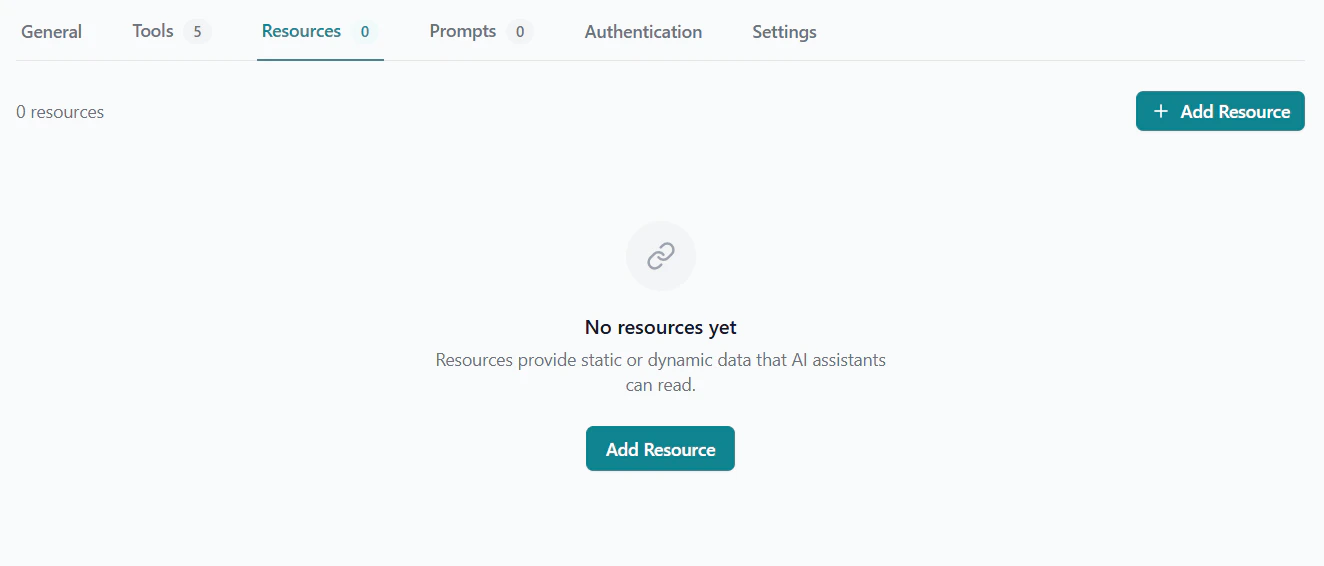
Inside a server, click the **Resources** tab.
Click **Add Resource** to open the resource editor.
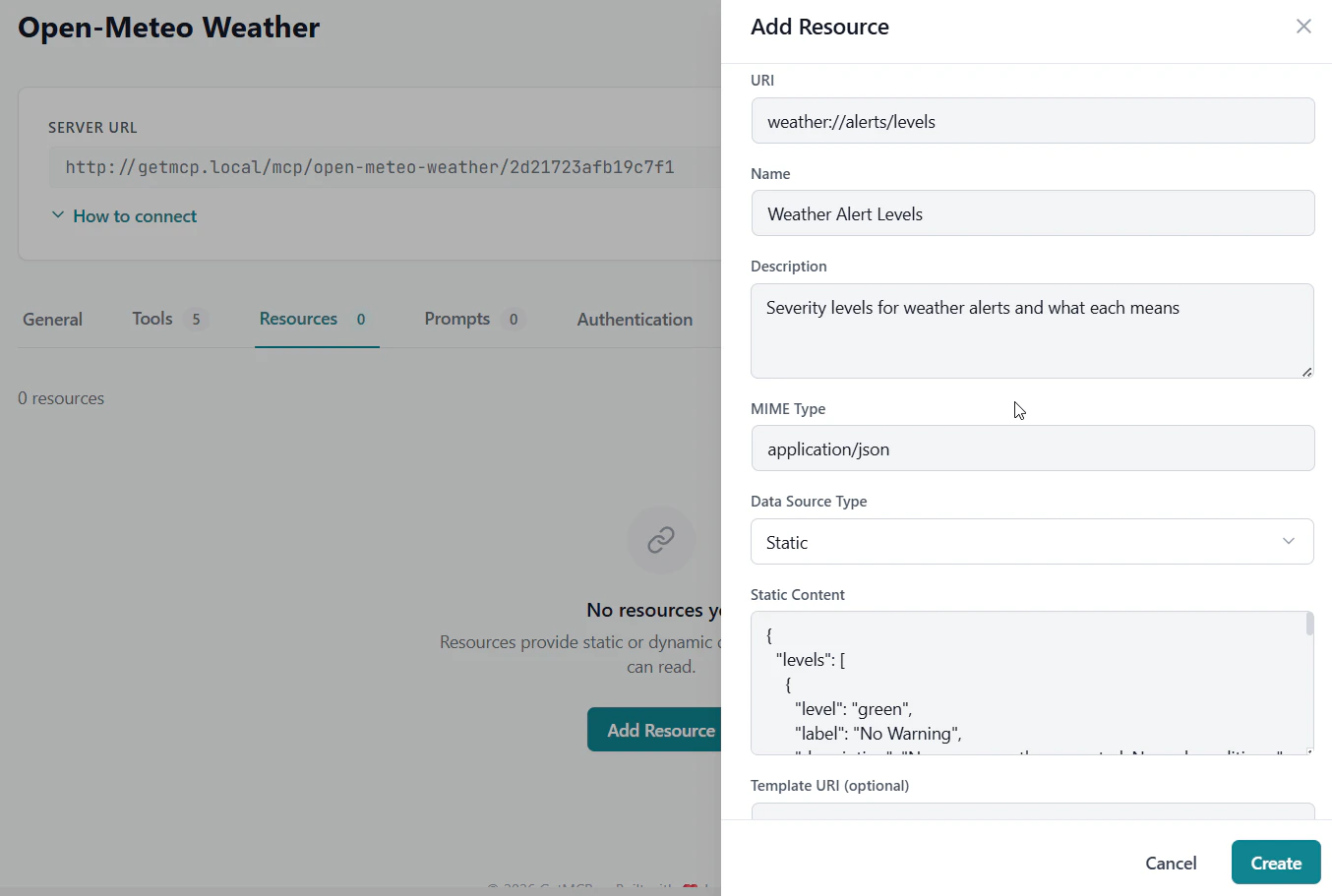
 Enter a URI (e.g., `docs://api-overview`) and a human-readable name.
Select the data source type and fill in the corresponding config fields.
If this is a parameterized resource, add a URI template pattern (e.g., `docs://posts/{slug}`).
Click **Save**. The resource is now available via `resources/list` (or `resources/templates/list` if a template URI is set) and `resources/read`.
Enter a URI (e.g., `docs://api-overview`) and a human-readable name.
Select the data source type and fill in the corresponding config fields.
If this is a parameterized resource, add a URI template pattern (e.g., `docs://posts/{slug}`).
Click **Save**. The resource is now available via `resources/list` (or `resources/templates/list` if a template URI is set) and `resources/read`.
 ## MCP Protocol
Resources integrate with the standard MCP protocol methods:
* **`resources/list`** — Returns all resources that have a fixed URI
* **`resources/read`** — Returns the content of a specific resource by URI
* **`resources/templates/list`** — Returns resources that have a `template_uri` set
## MCP Protocol
Resources integrate with the standard MCP protocol methods:
* **`resources/list`** — Returns all resources that have a fixed URI
* **`resources/read`** — Returns the content of a specific resource by URI
* **`resources/templates/list`** — Returns resources that have a `template_uri` set